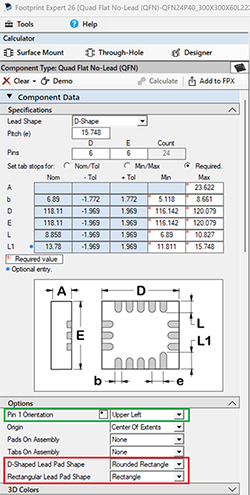
Footprint Options on Left Panel vs Options Config
Printed From: PCB Libraries Forum
Category: PCB Footprint Expert
Forum Name: Questions & Answers
Forum Description: issues and technical support
URL: https://www.PCBLibraries.com/forum/forum_posts.asp?TID=3710
Printed Date: 19 Oct 2026 at 10:23am
Topic: Footprint Options on Left Panel vs Options Config
Posted By: Nick B
Subject: Footprint Options on Left Panel vs Options Config
Date Posted: 19 Oct 2026 at 7:48am
Do not use the Calculator side panel options for production. They are intended to test option features. 1. The only data saved to FPX is: a. Package Dimensions b. Mfr. Recommended Pattern c. 3D Colors assignments d. Manually inserted drafting objects and keepouts All other footprint features are derived for you Master Option file. Create a master option file using "Tools > Options > File Save As > Your Name" Example: you want D-Shaped Pads for some component families. Go to "Tools > Options > Component > QFN" 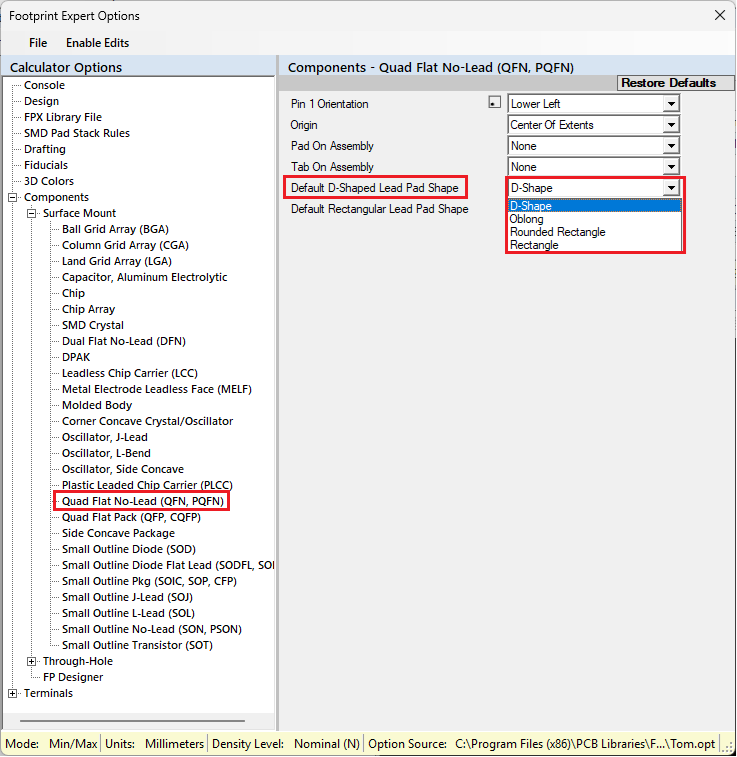 This message will appear and you select 'No' because you don’t want to affect every Component Family. 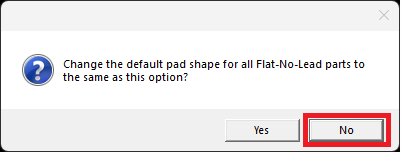 Continue to select each component family and change the pad shape. Save your options and every time you open a QFN it will have D-Shaped pads. ------------- Stay connected - follow us! https://twitter.com/PCBLibraries" rel="nofollow - X - http://www.linkedin.com/company/pcb-libraries-inc-/" rel="nofollow - LinkedIn |